
AI Scribe voice
Tap "Start Scribe" and narrate the visit. The AI fills patient conditions, medications, allergies, and lab values into the intake fields — no manual re-entry after dictation.
Product deep dive
aiVitaPlan is designed around how supplement and nutrition protocols are actually prepared: collect context, generate a structured review set, select what belongs, and send a branded patient summary.
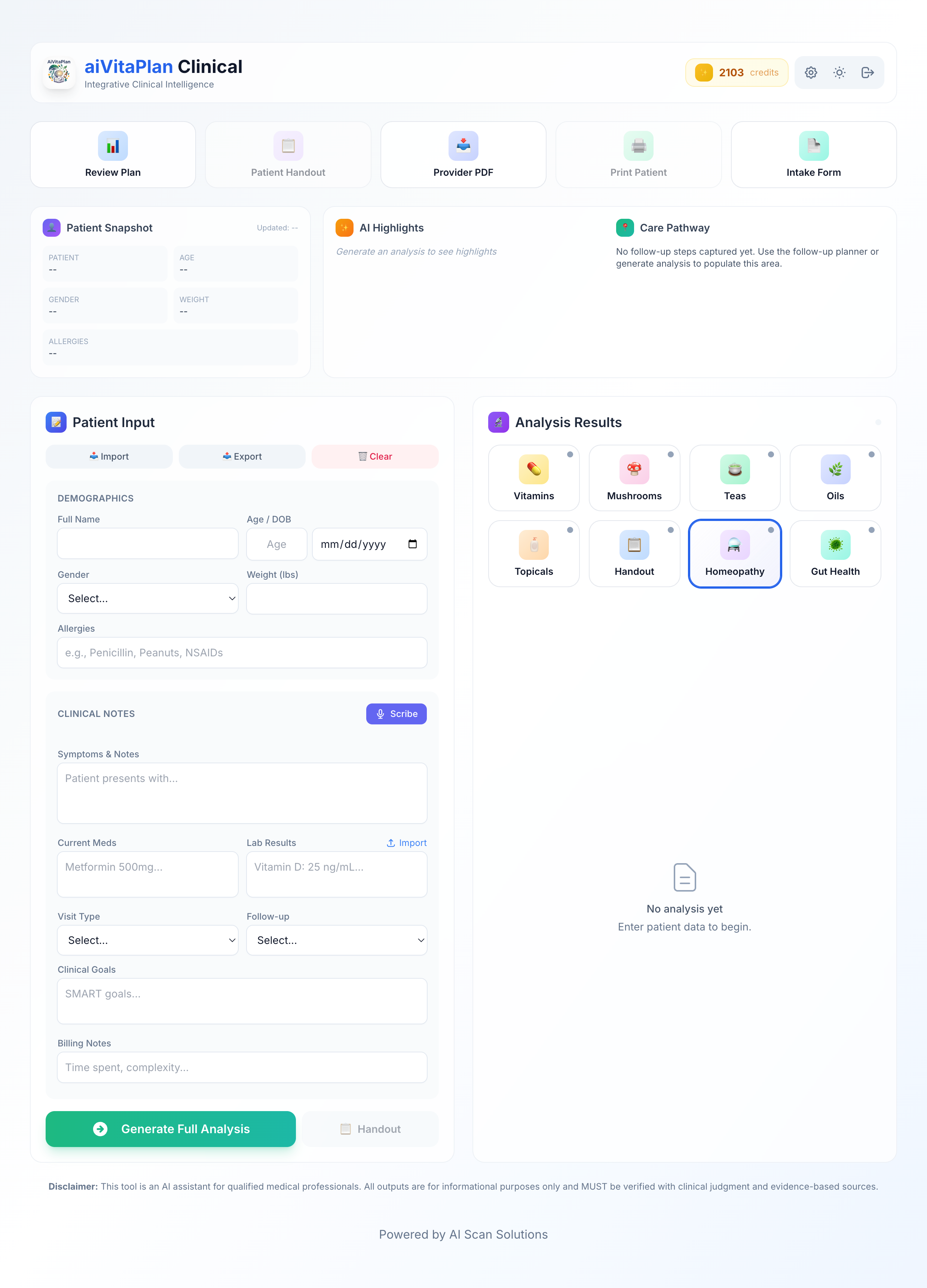
The dashboard keeps intake, highlights, care pathway planning, protocol tabs, and handout controls visible.
01 Intake
The source app includes practical fields a clinic can recognize: patient data, allergies, symptoms, medications, labs, visit type, follow-up interval, clinical goals, and billing notes.
Tap "Start Scribe" and narrate the visit. The AI fills patient conditions, medications, allergies, and lab values into the intake fields — no manual re-entry after dictation.
Upload a printed intake form or lab report and the OCR extractor pulls values directly into the plan context — including quantitative lab values like Vitamin D (ng/mL) that downstream recommendations reference.
Demographics, allergy flags, active medications, visit type, and follow-up interval stay visible across all seven protocol tabs so the clinician never needs to switch screens to recall context.
Click "Generate Full Analysis" and the AI returns a multi-tab protocol organized by modality. Each item carries a dosage, a rationale tied to the patient's specific conditions (IBD, low back pain, fatigue, low Vitamin D), and a critical interaction check against their active medications. The output is separated into reviewable tabs, not collapsed into a single chat answer.
The output is not a single wall of text. Each modality — Vitamins, Mushrooms, Teas, Essential Oils, Topicals, Homeopathy, Gut Health, and Patient Handout — lands in its own tab. Practitioners review, remove, or modify per-item before committing to a patient handout or PDF export.
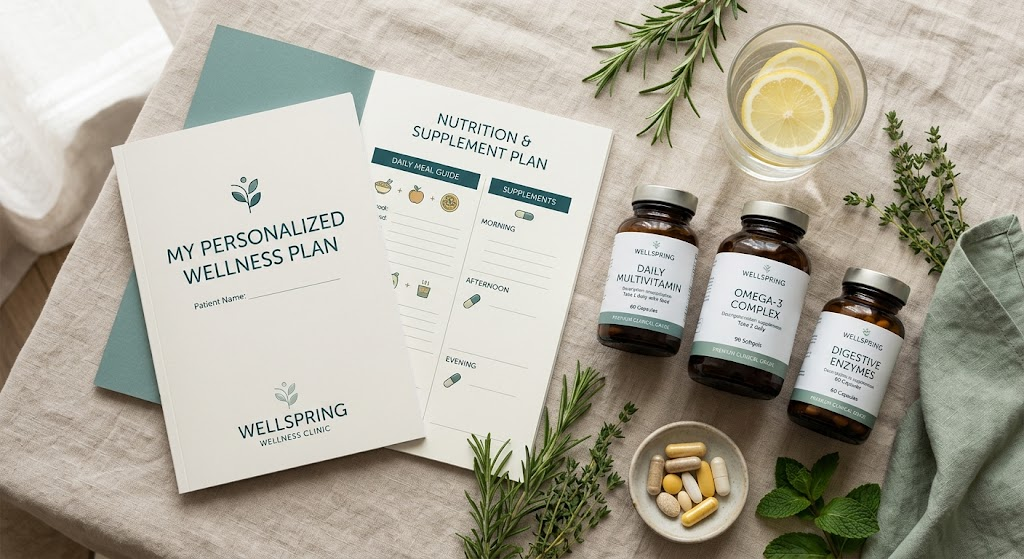
Report settings let the clinic set the handout header, clinic name, contact details, and which sections to include. The provider PDF and patient handout are generated separately — the doctor version carries the clinical rationale and interaction flags; the patient version is written in plain language. No PHI names are stored on the server.
Beyond protocol tabs
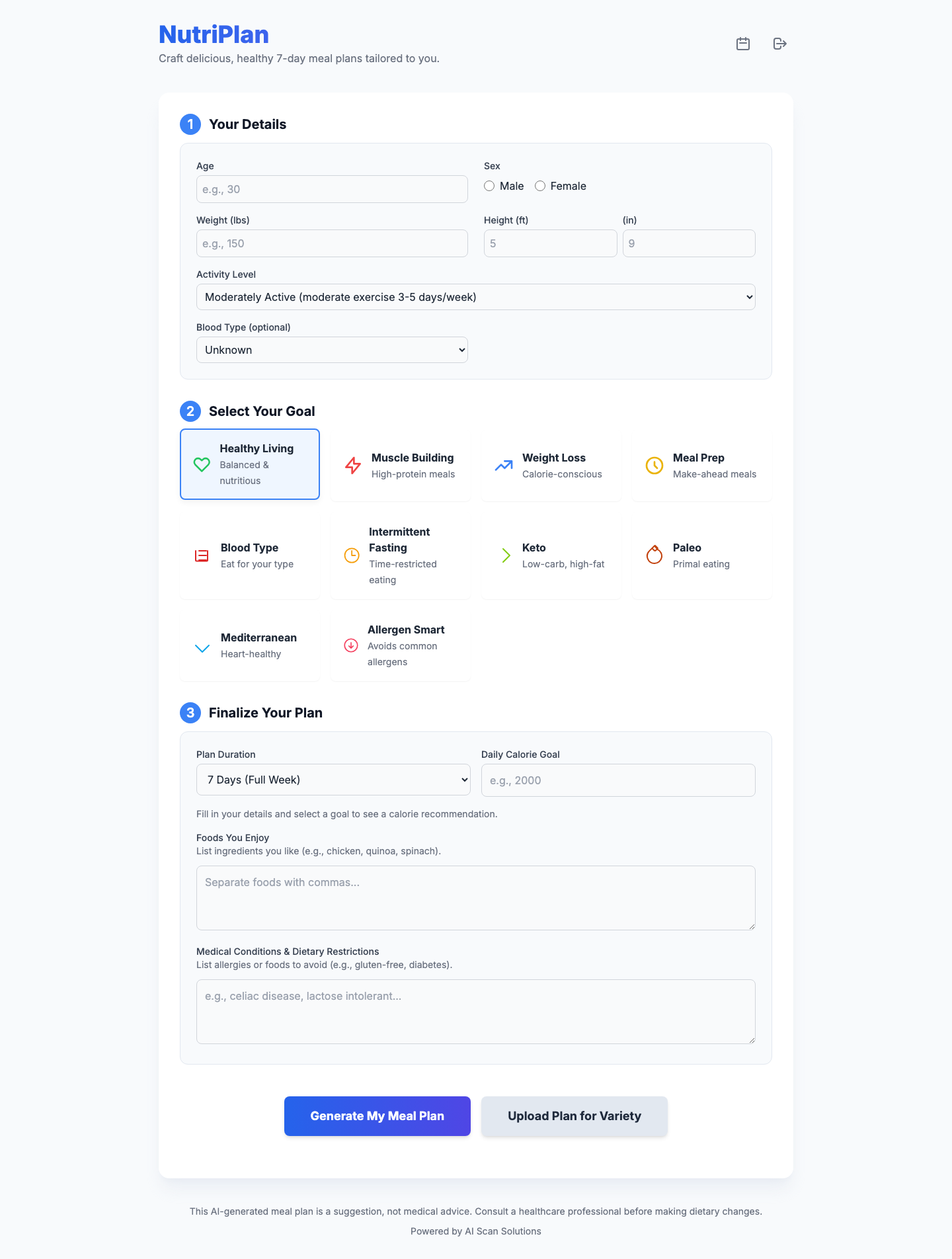
A single-visit protocol is often not enough. The product footprint includes multi-phase protocol scheduling, meal planning, recipe generation, scan history, and journal flows — so nutrition support continues between visits without additional manual work.
Start with the clinical product
Use aiVitaPlan when the clinic needs a disciplined scribe-to-protocol-to-handout path. Upgrade to Pro+ only when AI Rehab belongs in the same subscription.
FAQ
Demographics, allergies, symptoms and clinical notes, current medications, lab values (e.g. Vitamin D ng/mL), visit type, follow-up interval, clinical goals, and billing notes. The AI Scribe voice mode auto-fills those same fields from dictation. The Combo tier adds OCR upload for printed intake forms and lab reports.
The output is organized into eight tabs: Vitamins, Mushrooms (medicinal/functional), Teas, Essential Oils, Topicals, Homeopathy, Gut Health, and Patient Handout. Each item includes a dosage, condition-specific rationale, and a daily plan.
Yes. Each recommendation is cross-checked against the patient's active medications before it appears. For example: high-dose Omega-3 will carry a bleeding-risk note if the patient is on an anticoagulant or benzodiazepine like Klonopin. The flag is attached to the individual item, not buried in a disclaimer footer. aiVitaPlan supports practitioner judgment — it does not replace it.
Yes. Report settings let the clinic enter their name, contact details, and choose which protocol sections appear on the printed or exported PDF. The provider PDF and patient handout are generated as separate documents.
No PHI names are stored. Visit context is used to generate the protocol and is not retained in a named patient record on our servers.